
Account Opening Guide for GCC Users
Currently, Sahm supports account opening for citizens and residents of Saudi Arabia, the Emirates (UAE), and Qatar. Please follow these steps:
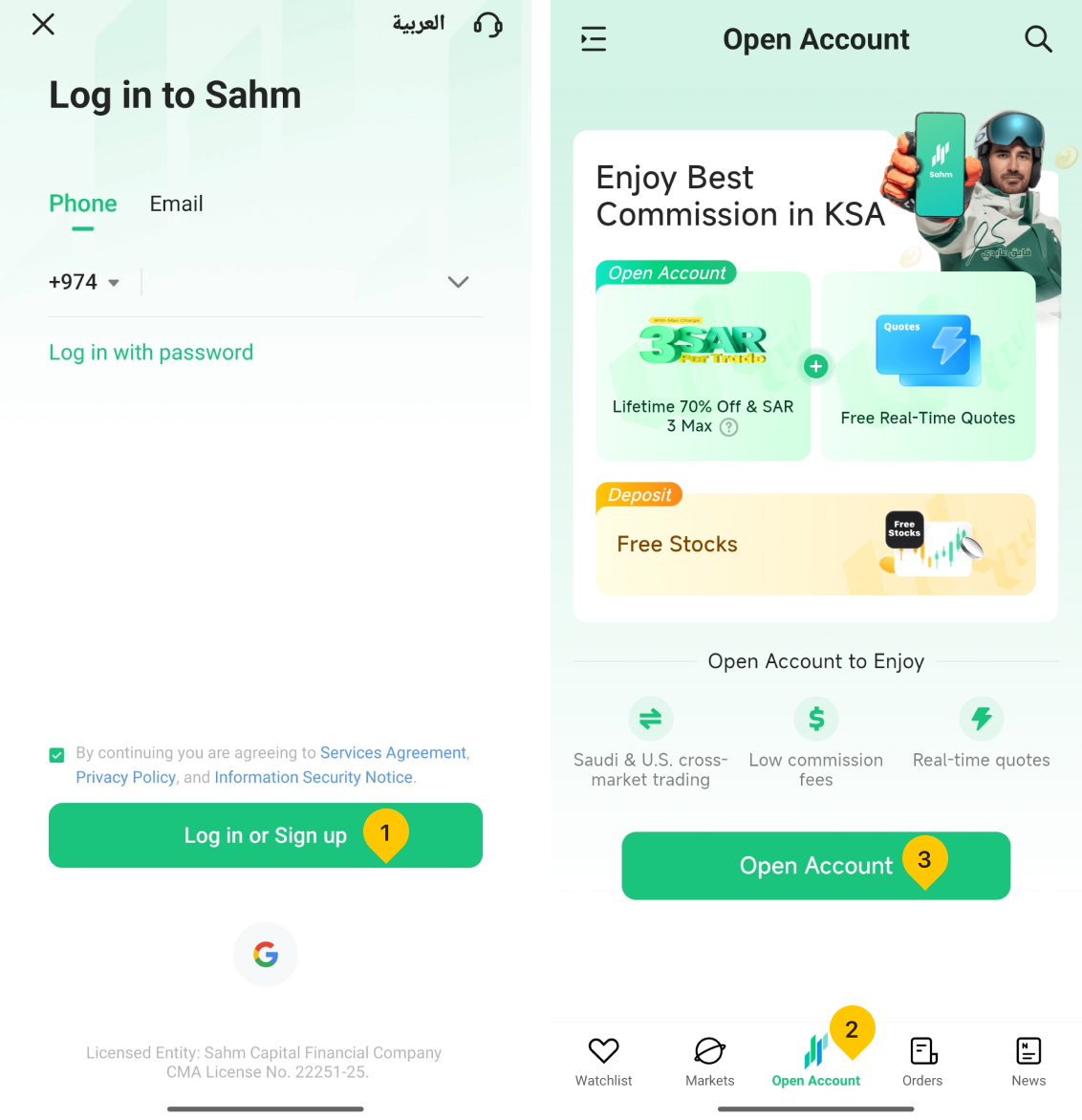
1. Log into your Sahm account and navigate to the "Open Account" section located at the bottom of the page. Tap on "Open Account" to begin the process.
2. Select the type of account you want to open. You can opt for either Saudi securities or U.S. securities account or both. Additionally, select whether you want a margin account.
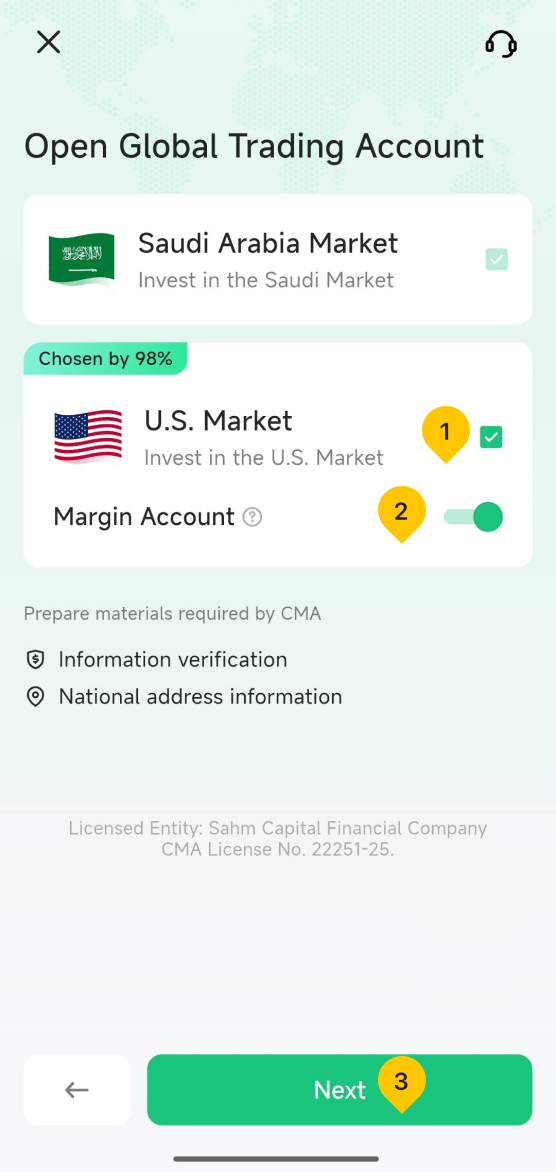
Please note that only non-US citizens or tax residents are eligible to open a US securities account.
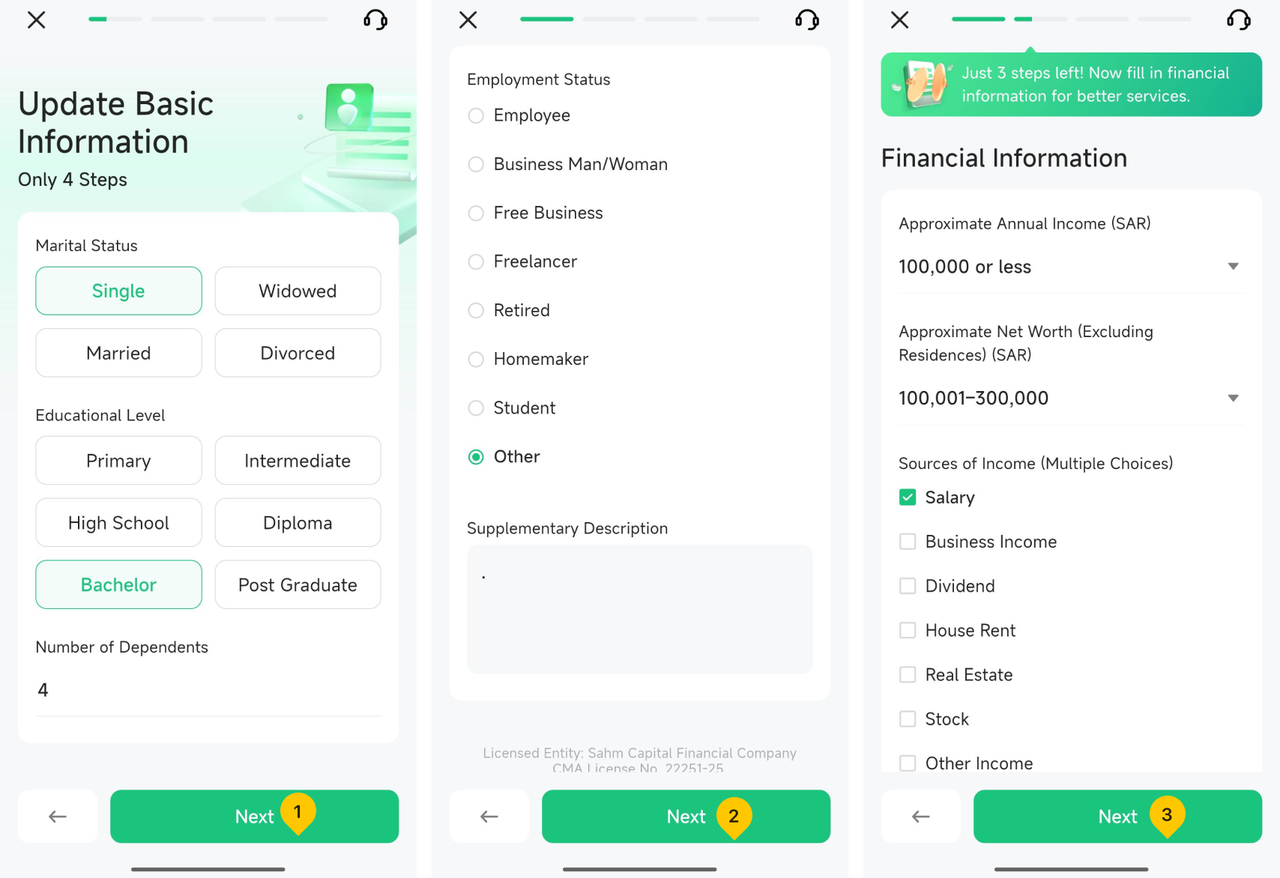
3. Fill in your personal information, employment and financial information accurately, and then tap "Next".
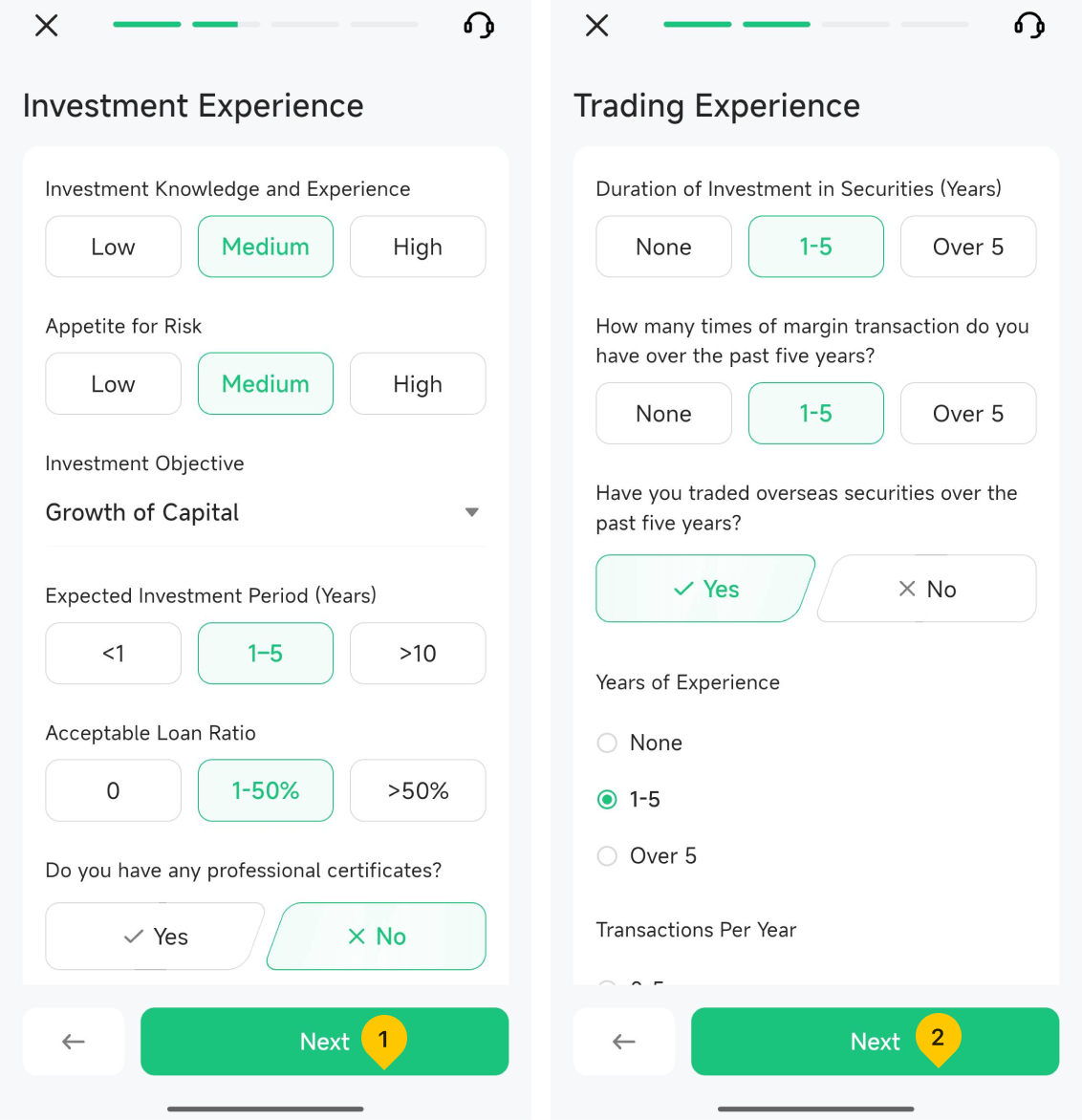
4. Answer questions about your investment and trading experience. This helps to provide more personalized investment services to meet your needs and goals.
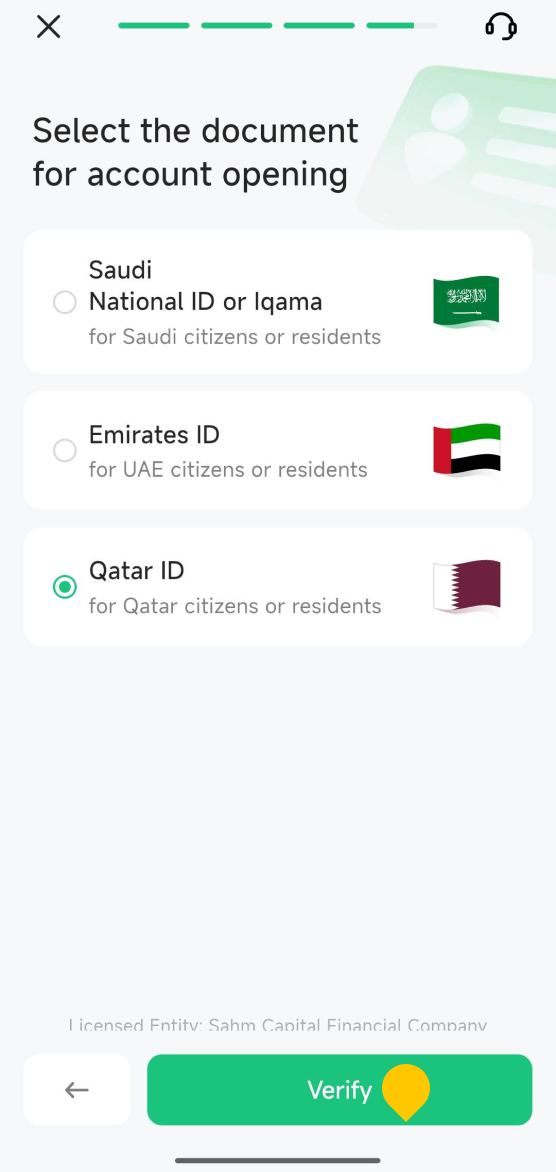
5. Select the document required for account opening, then tap "Verify".
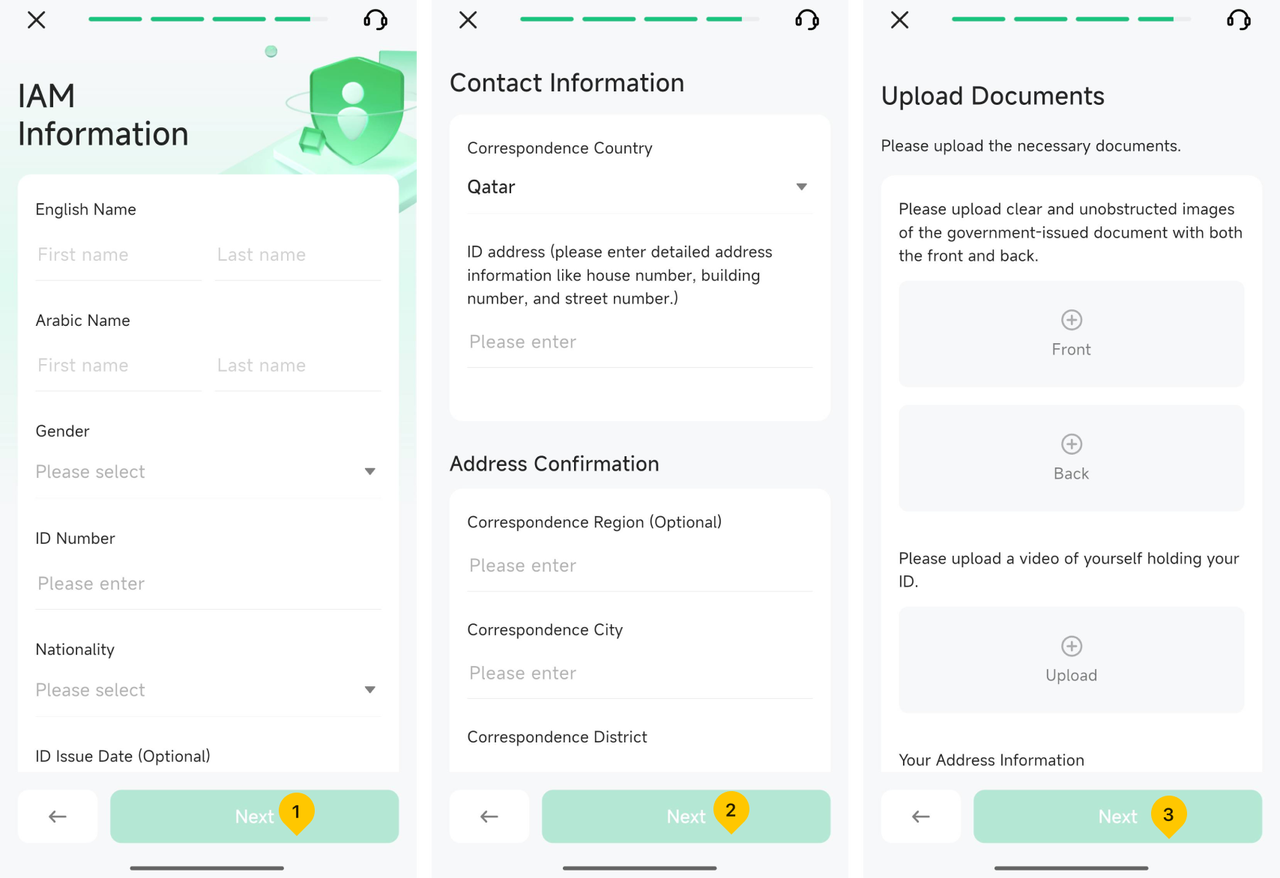
6. Fill in IAM Information and Contact Information, Upload Documents as required and then tap "Next".
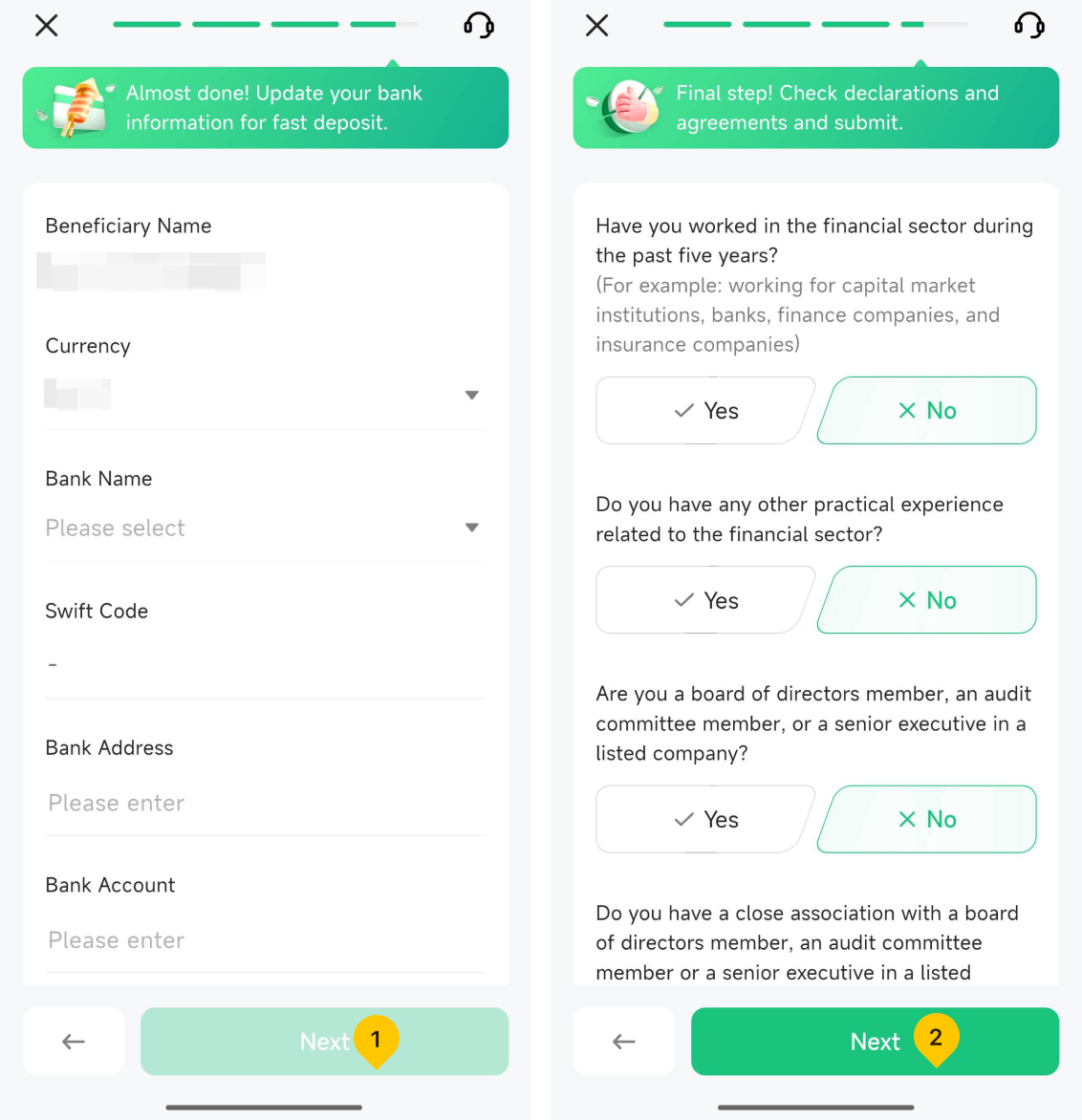
7. Fill in your bank information, complete background check questions and tap "Next".
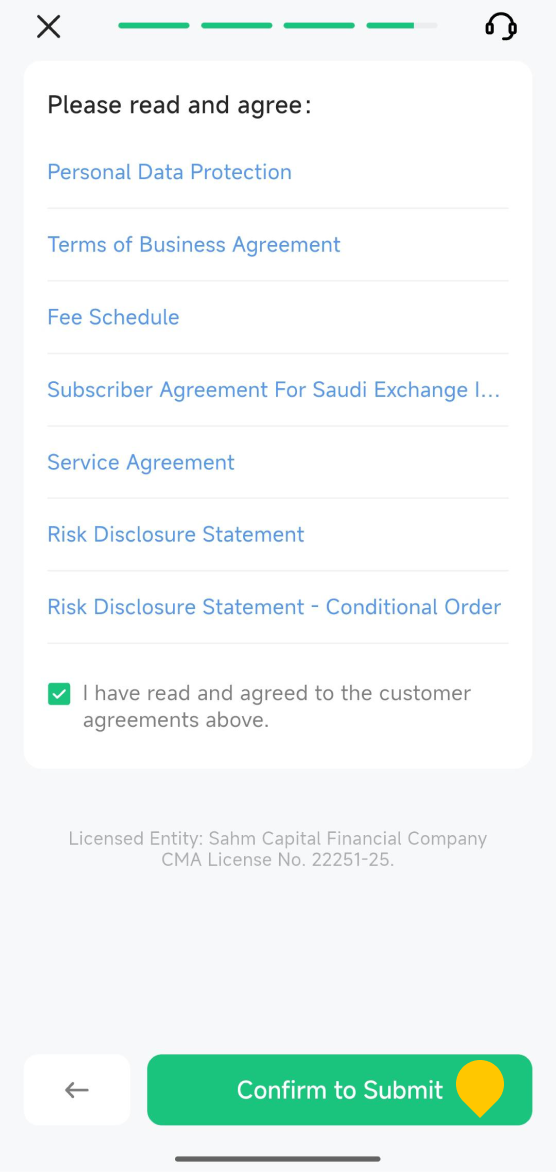
8. Carefully read the agreement terms and then tap "Confirm to Submit" to proceed.
Kindly be aware that the documentation and signing requirements differ based on the type of account you are opening.
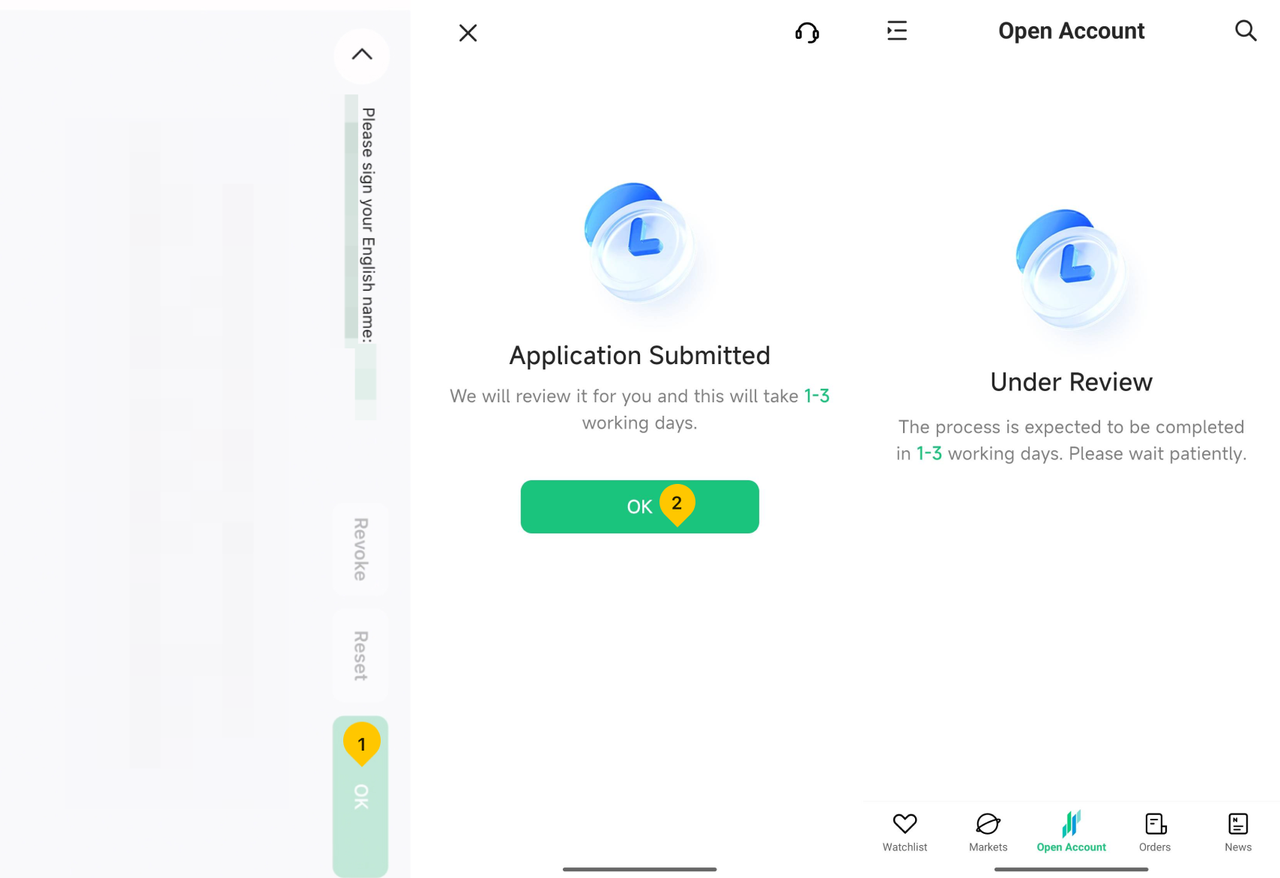
9. Sign your name electronically on the provided space. Confirm the signature by tapping "OK" to finalize the account opening process.