

Amount Mode and Fractional Shares (US Stocks)
What is Amount Mode?
Amount mode = you say "I want to spend $100," and the system figures out how many shares that buys.
But here's the catch: after the system does the math, what actually gets submitted is the share quantity, not the $100.
An Example
Say you want to spend $100 on a stock trading at $30.
The system calculates: $100 ÷ $30 ≈ 3.33 shares.
Then it submits "buy 3.33 shares."
Here's the problem: if the price moves to $32 by the time it fills, you actually pay 3.33 × $32 ≈ $106.60 — more than the $100 you had in mind.
So: the amount you type is just a target. What you actually pay depends on the price at fill.
The One Exception
There's one case where the system really does submit the amount, and the share count is just an estimate:
A US stock that supports fractional shares + buy-to-open + market order
In that case, the amount is what's locked in, and that's what you pay.
How Do I Know Which One I'm Placing?
Look at the share count on the confirmation screen:
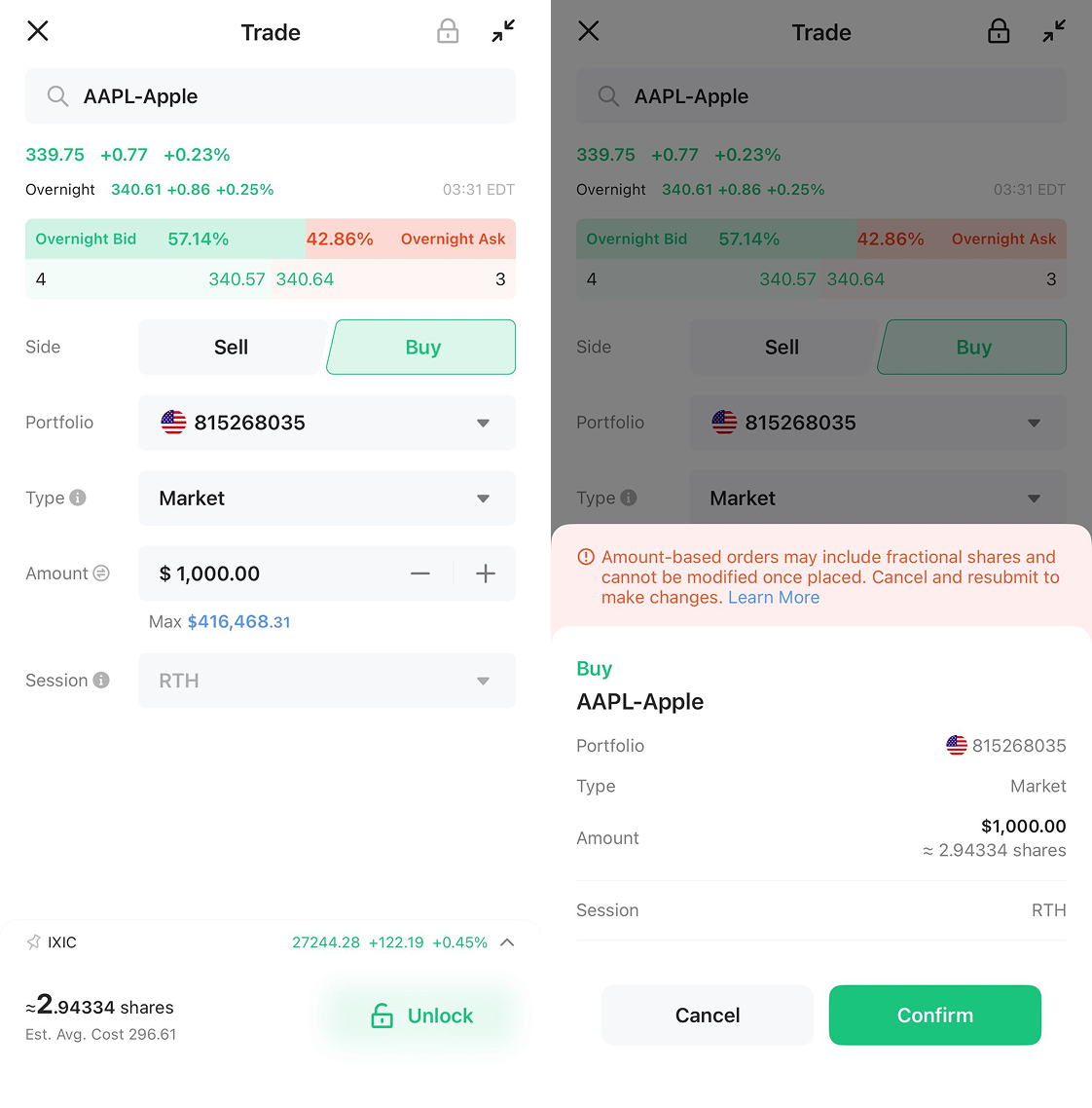
A ≈ (approximation sign) in front of the quantity → it's a dollar-based order, and the quantity is estimated
No ≈ → it's a quantity-based order, and the amount is just a reference
What the Three Order Types Look Like
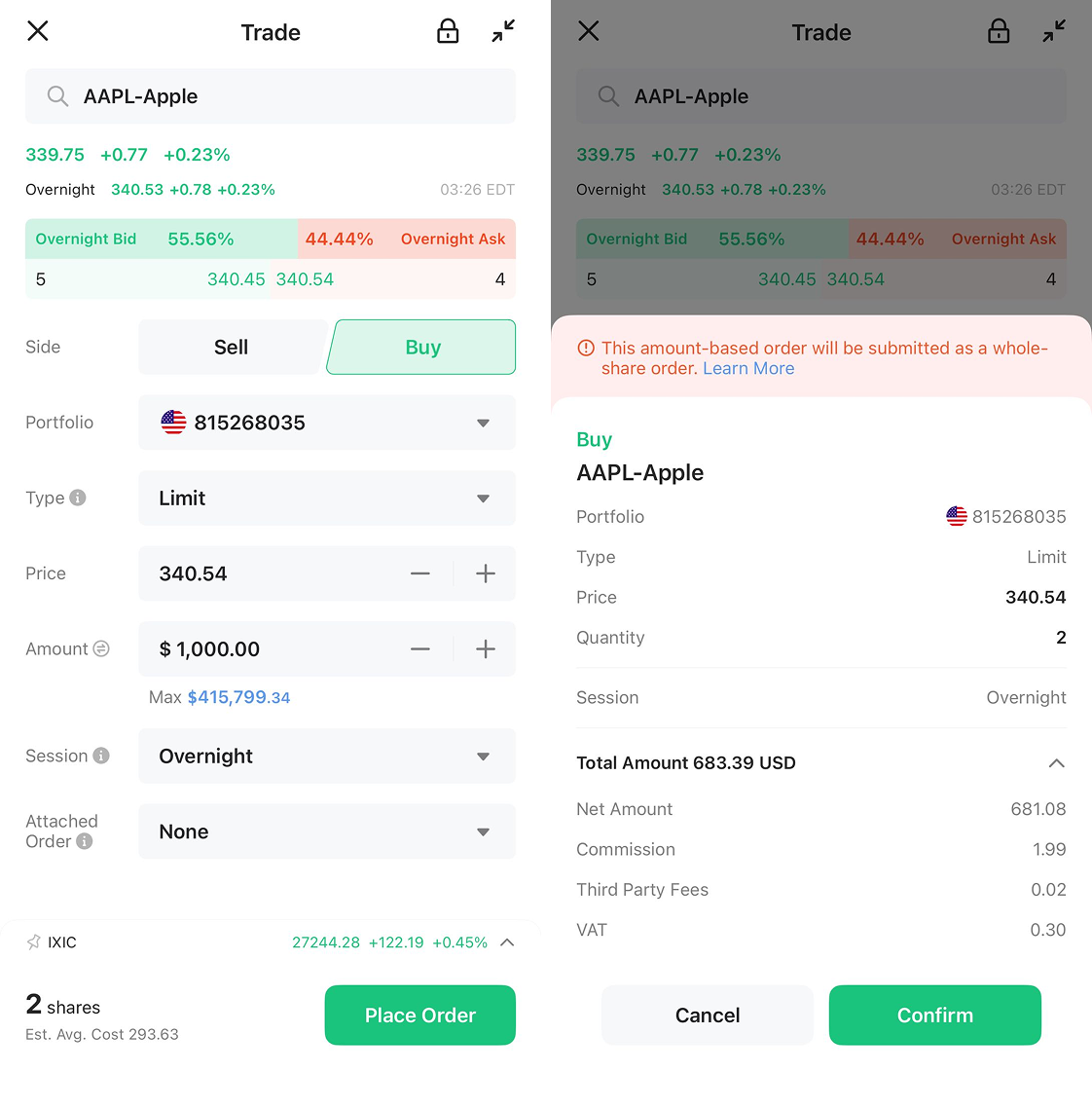
1. Regular Whole-Share Order
Whole shares, and you can order them even outside regular trading hours.
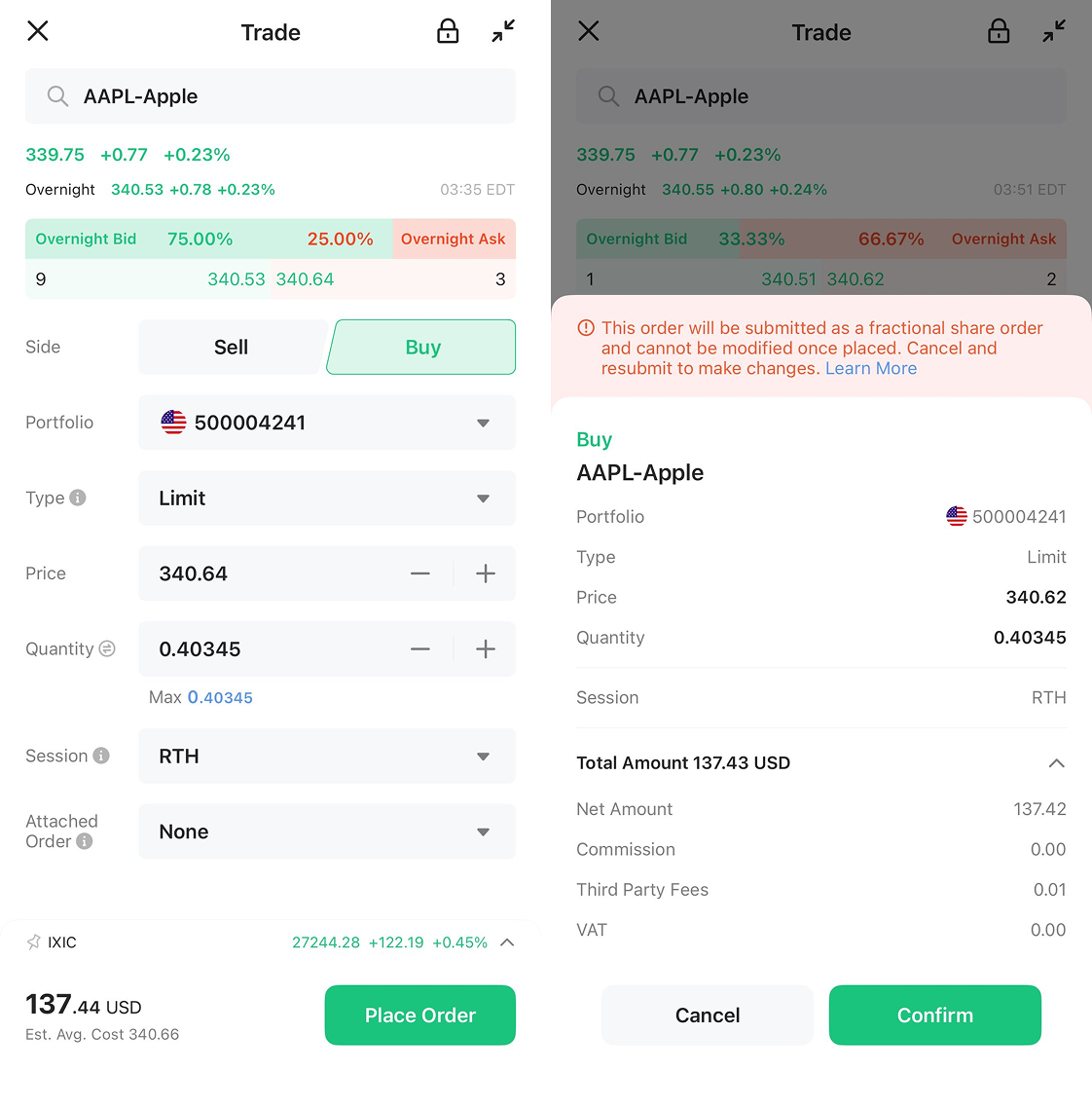
2. Fractional-Share Order
Less than a full share, only for some US stocks/ETFs, and no changes once placed.
3. Dollar-Based Order
You set the dollar amount, only for fractional-supported US stocks with a buy-to-open market order.
Two Common Questions
Q: Could the final cost be more than I wanted to spend?
Yes. Because what's submitted is the share quantity, so if the price rises, you pay more. This is most likely on market orders, since no price is set.
Q: Can I place a fractional order in amount mode?
Yes, as long as the US stock supports fractional shares. But the same rules apply: it can't be modified once placed — you'd have to cancel and reorder — and it's RTH only.