

How to apply to trade S.A. stocks on a margin?
To apply for margin trading in S.A. stocks:
- Tap the "More" icon located on the upper left of the Watchlist page.
- Tap the "My Margins".
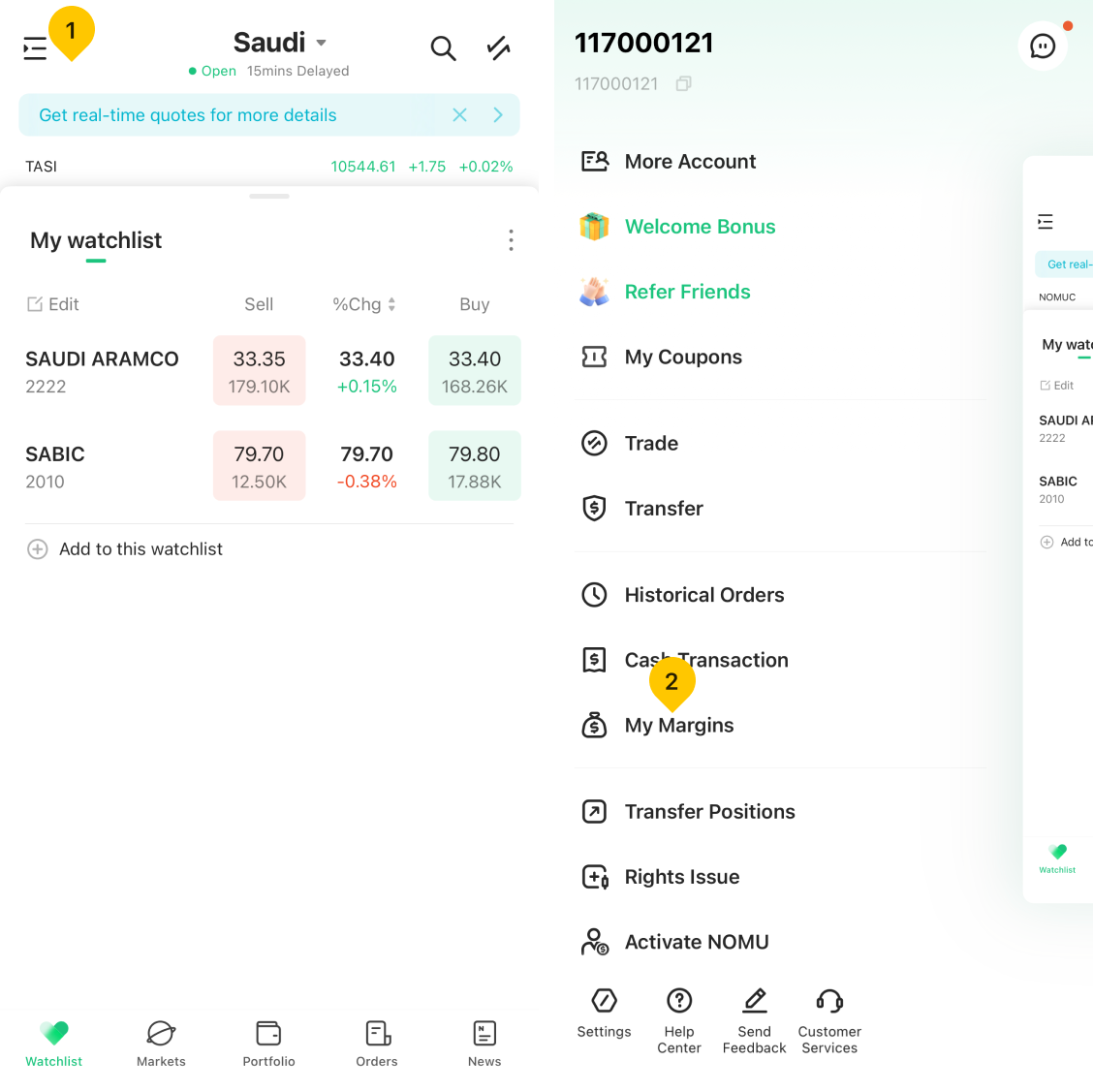
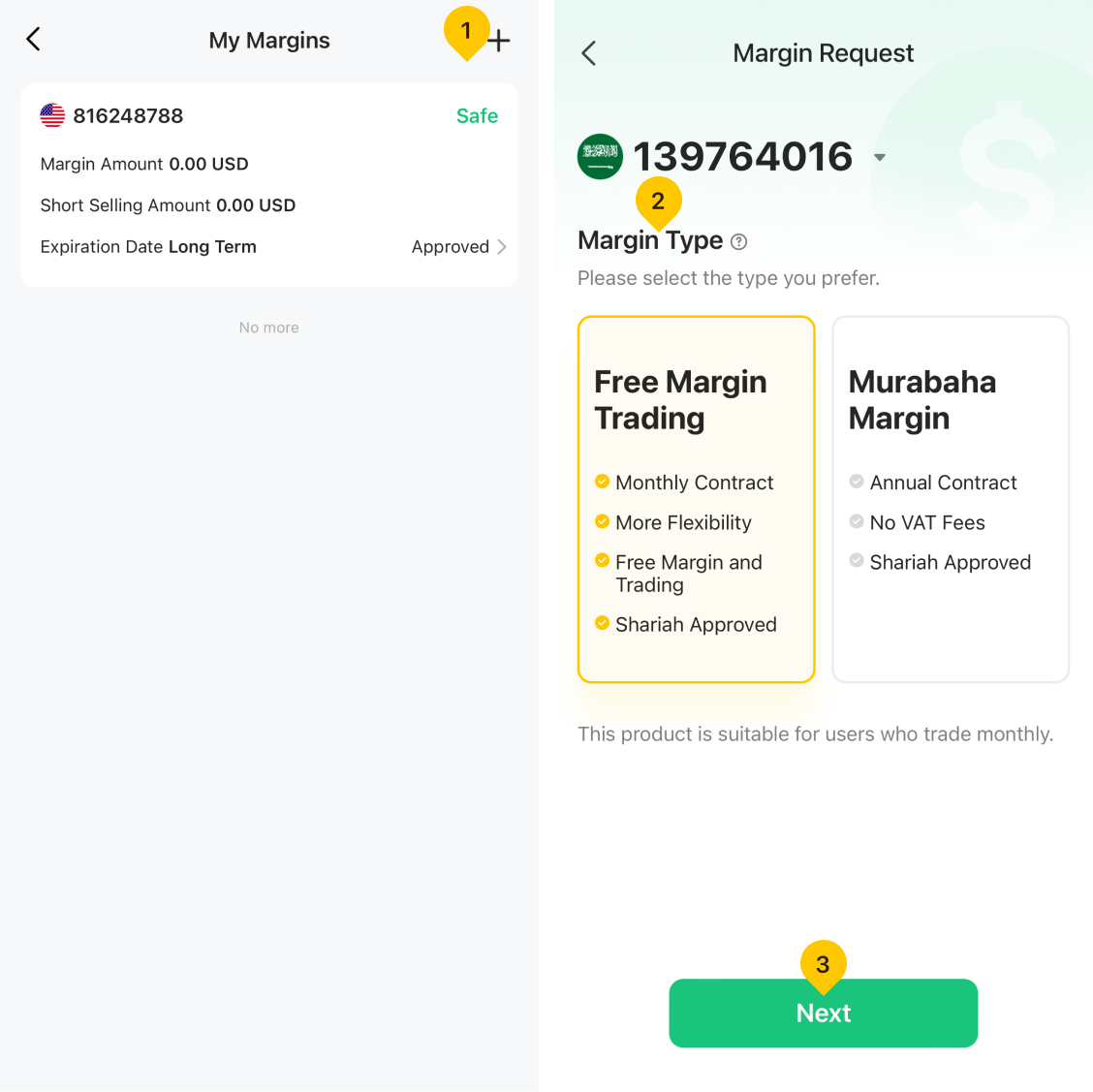
- Tap the "Plus" icon on the upper right of the page.
- Select your preferred Margin Type.
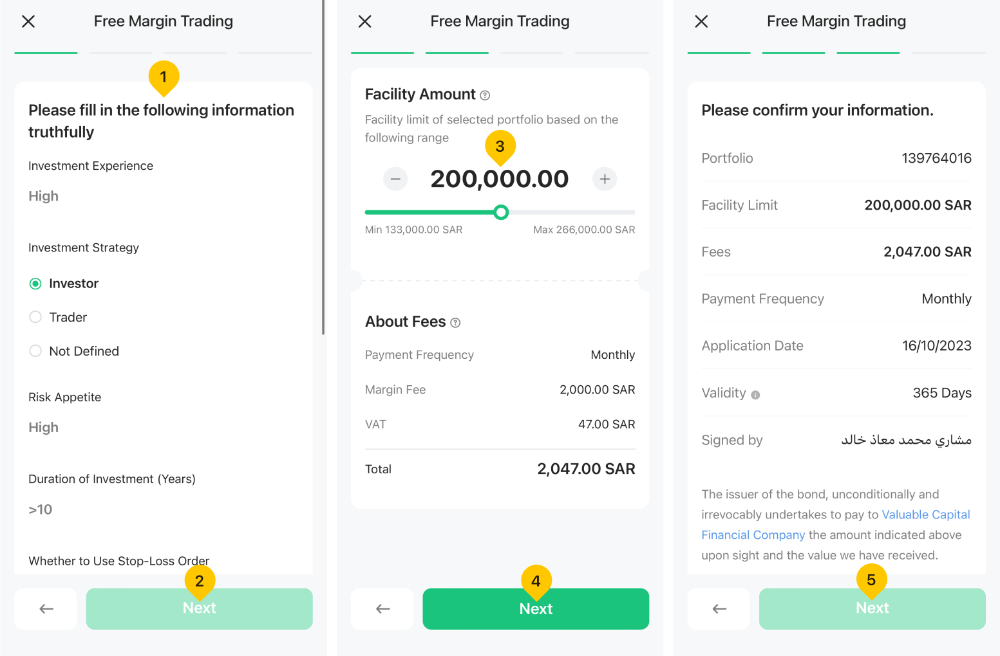
- Fill in risk information and tap "Next".
- Confirm the facility amount, fees information and then tap "Next".
- Confirm the related information and then tap "Next".
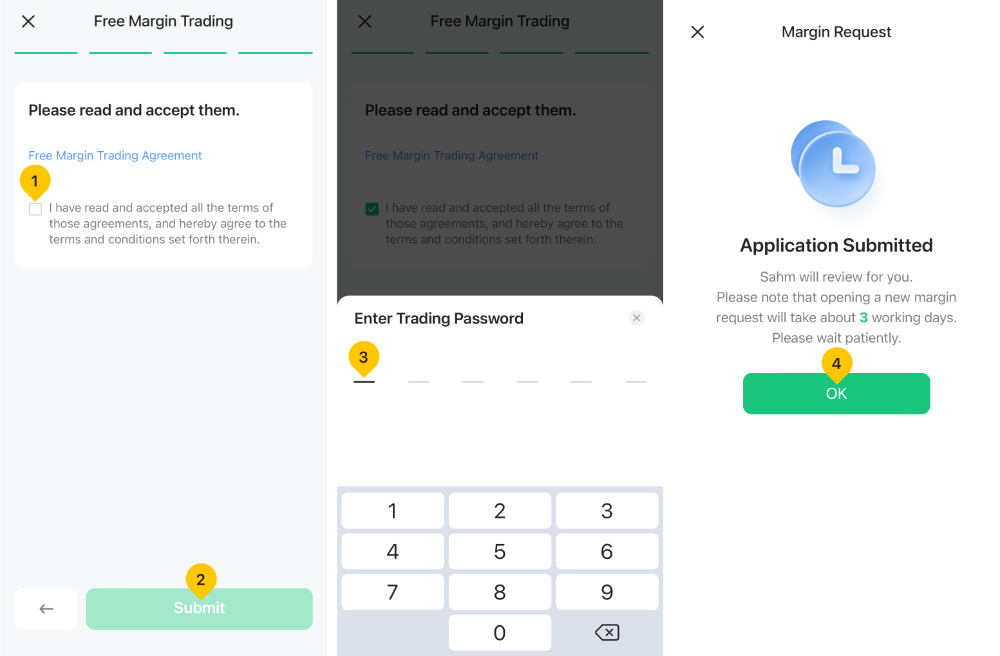
- Read the agreements, confirm and then tap "Submit".
- Enter your trading password.
- Submit your financing application.
- For Margin Accounts Without Funds or Open Positions: Customers can easily cancel their margin account directly through the Sahm App.
- For Accounts with Open Positions: Customers must send an email to request a transfer of positions. Please include your Sahm ID and portfolio account number in the email.
Was this article helpful?
You can also
contact Customer Services
for help.
Yes
No