

How to cancel a stock transfer in or out?
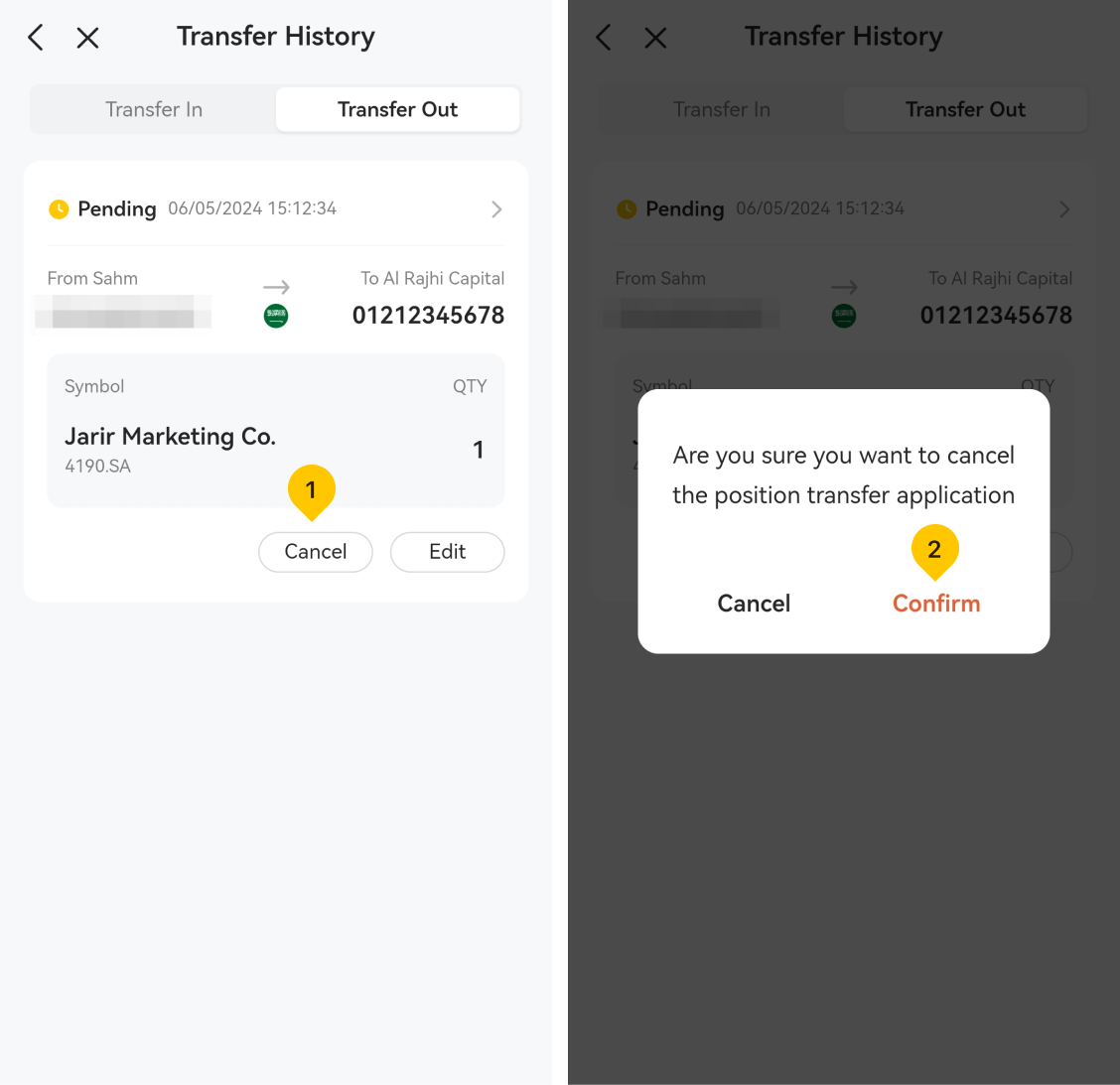
Not all cancellation requests will be successful as they depend on which stage you are at in the process. Any in-process or completed stock transfer-in request cannot be canceled, but the request in "Pending" or "Reject" status may be canceled with the following steps:
- Tap the "More" icon located on the upper left of the Watchlist page.
- Tap the "Transfer Positions".
- Tap the "Transfer History".

- Select the "Cancel" function.
- Tap the "Confirm" to confirm the cancellation of position transfer application.
Was this article helpful?
You can also
contact Customer Services
for help.
Yes
No