

How to Deposit Funds on Sahm Web Version?
QR Code Deposit
Users can now choose to deposit by scanning a QR code. This method supports Apple Pay, mada cards, and linked bank accounts, with funds credited in real time.
Steps:
- Click on "Transfer" on the left side of the page, then click on "Deposit"; select the account you want to deposit to, then scan the generated QR code using the Sahm App.
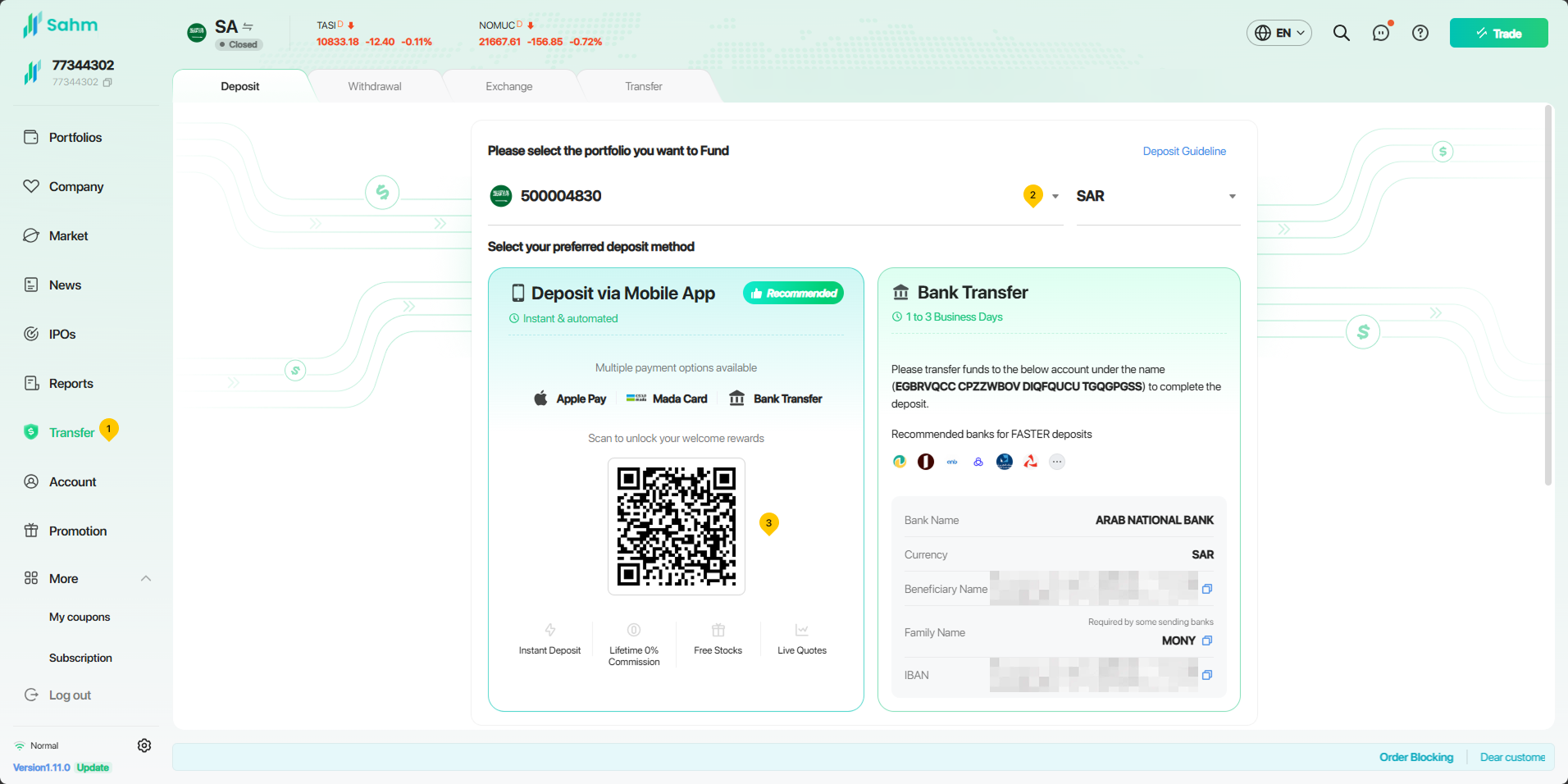
- Follow the prompts to select Apple Pay, a mada card, or a linked bank account to complete the payment.
- Once the payment is successful, the funds will be credited to your Sahm account instantly.
Bank Transfer Deposit
If you choose to deposit via bank transfer, please follow the steps below:
- Click on "Transfer" on the left side of the page, then click on "Deposit"; select the account you want to deposit into, then click on the blue "Copy" button to copy Sahm's IBAN.
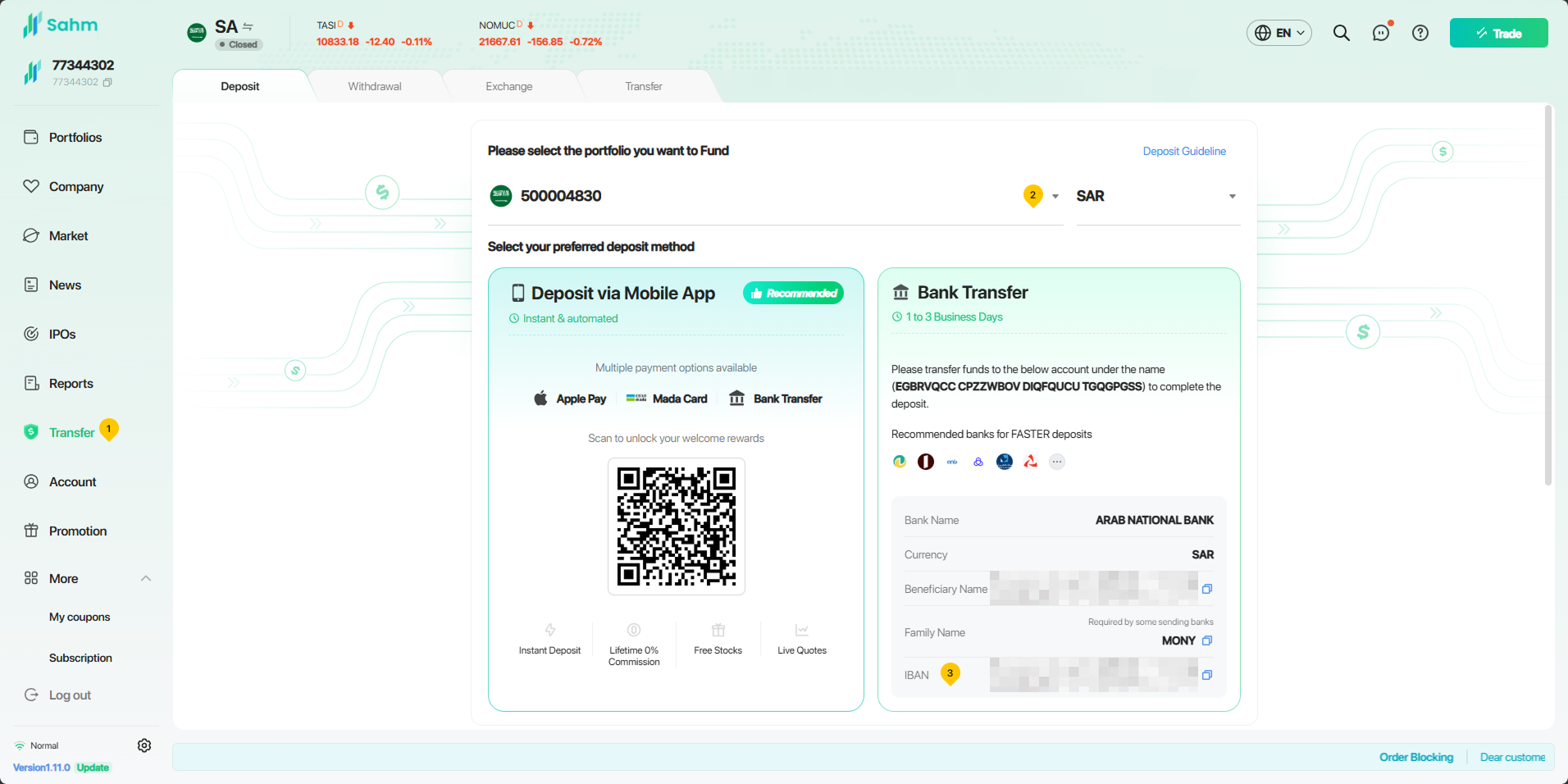
- Access your bank’s online platform, and put Sahm's IBAN to initiate a transfer from your bank account to the Sahm account.
Before making a deposit, please ensure you follow the instructions below; otherwise, it may result in a failed deposit:
1. Before making a deposit, please confirm that the name on the bank card from which you are transferring funds exactly matches the name on your Sahm account. If they do not match, we will be unable to verify, which will result in a failed deposit.
2. Before making a deposit, please confirm the currency of the account you're transferring funds to. For Saudi market securities accounts, please transfer in SAR, and for US stock market securities accounts, please transfer in USD.
Note:
- If you initiate a deposit before 15:00 Arabic Standard Time (AST), your transfer will be finalized on the same day; however, if the deposit is made after 15:00 Arabic Standard Time (AST), the transfer will be processed on the following business day.
- You have two options for depositing USD into your Sahm account. You can deposit USD from Arab National Bank (ANB). Alternatively, you can deposit USD into Sahm from international banks in Gulf Cooperation Council (GCC) countries, such as the UAE.
- In cases where you need to deposit Saudi Riyals from local banks in Saudi Arabia, you would be required to utilize currency exchange methods to obtain US dollars.