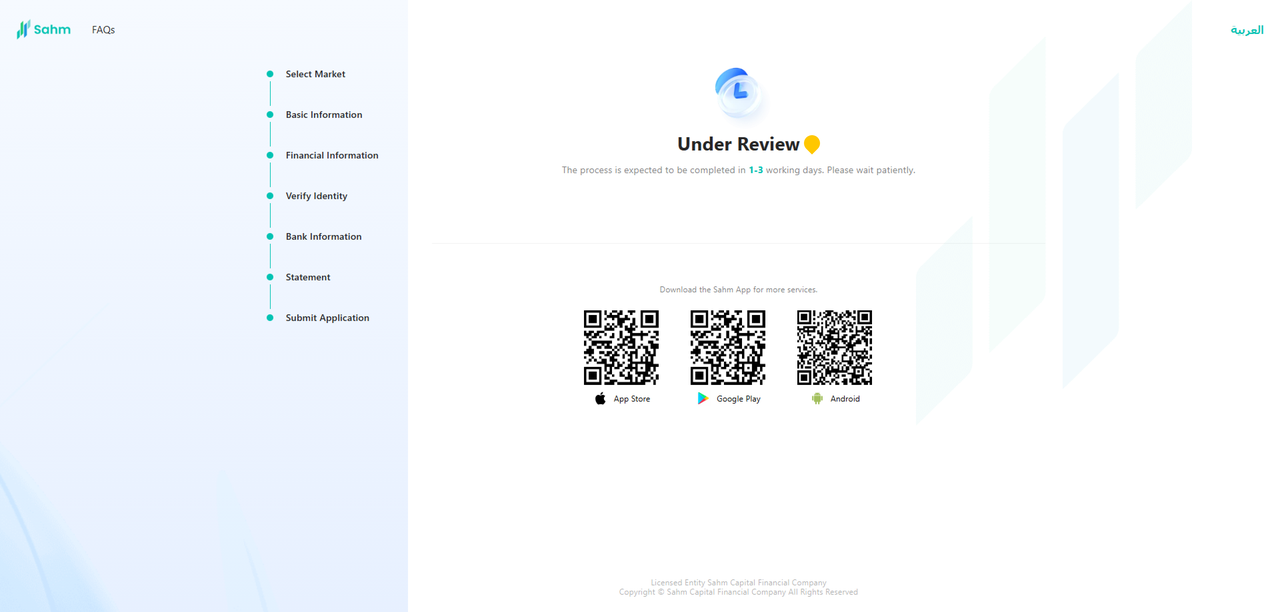

How to Open an Account on the Sahm Web Version?
The steps to open an account on the Sahm Web Version are as follows:
1. Log into your Sahm account and navigate to the "Open Account" section in the top left corner of the page. Tap on "Open Account" to begin the process.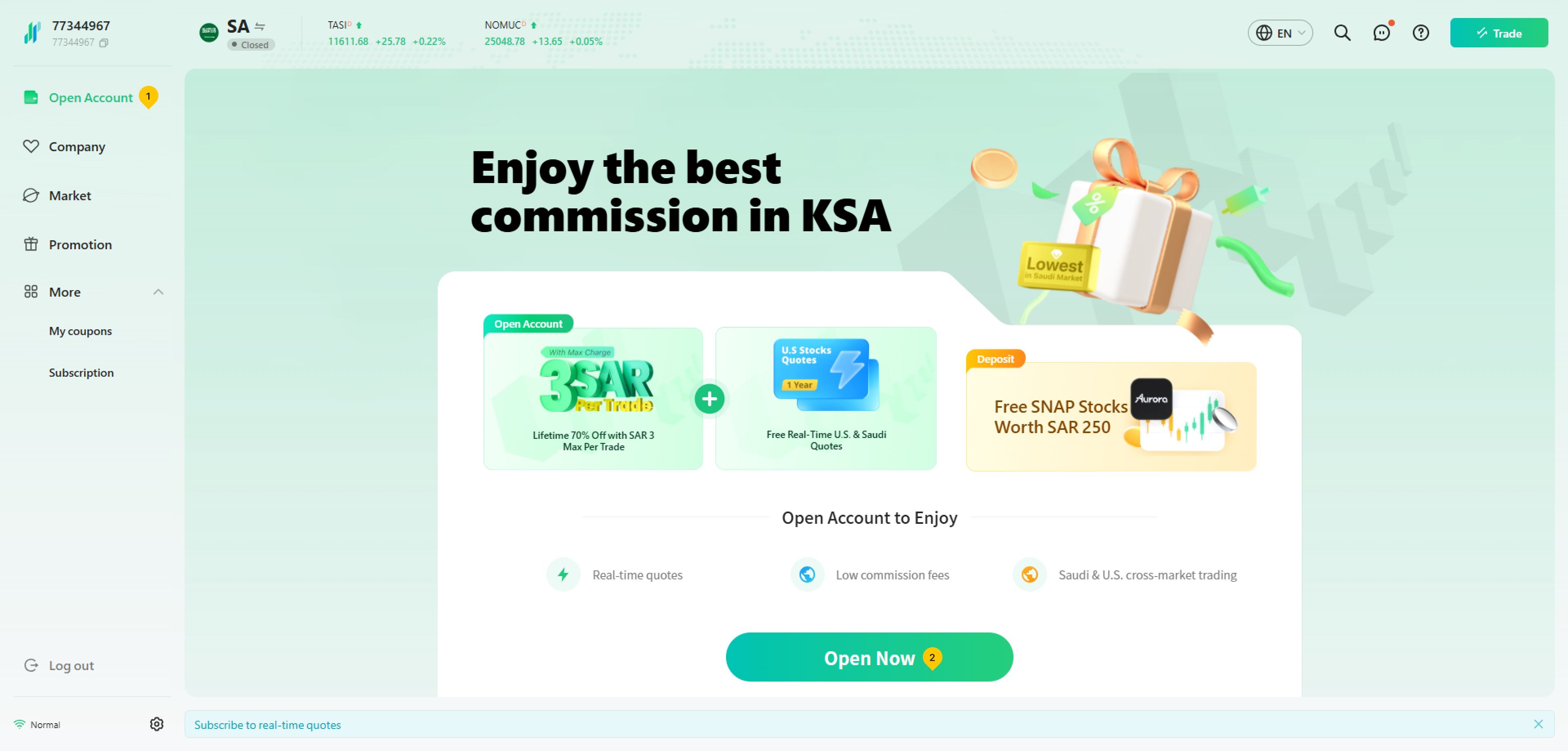
2. Select the type of account you want to open and click "Next".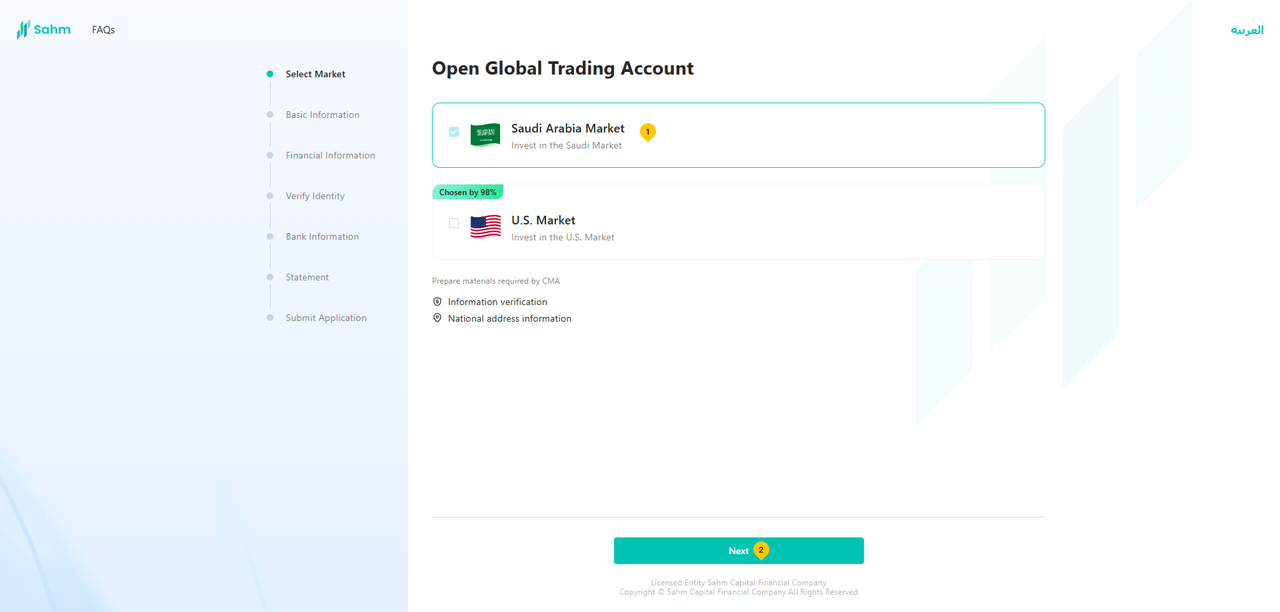
3. Fill in your personal information, employment and financial information accurately, and then tap "Next".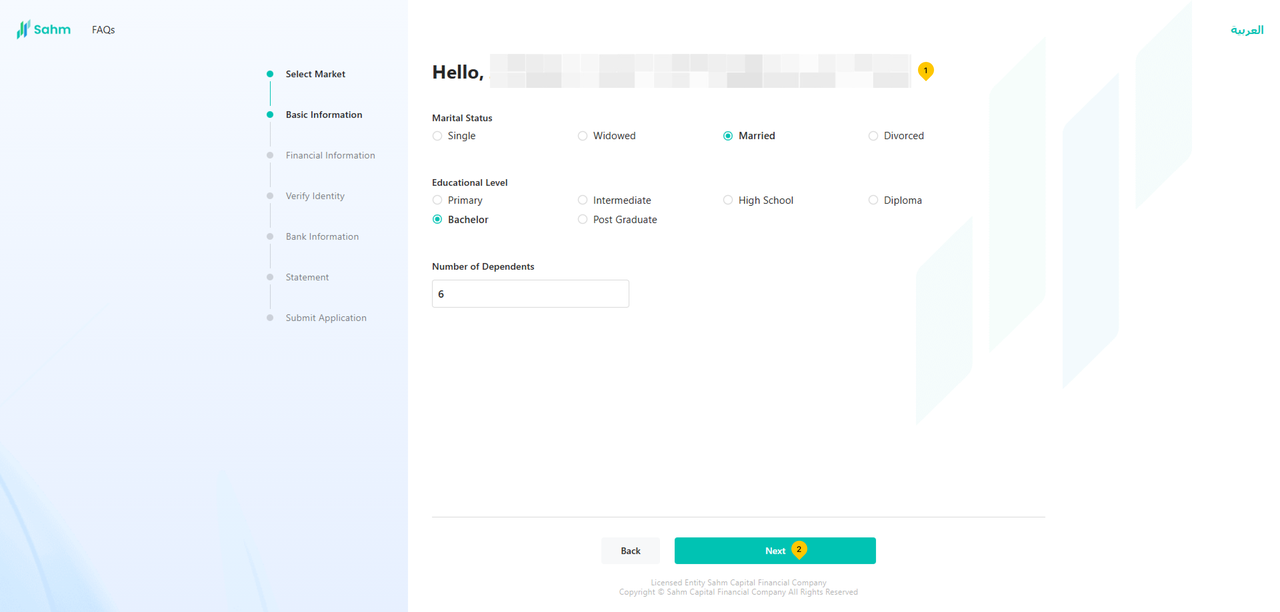
4. Answer questions about your investment and trading experience in turn and click "Next". This helps to provide more personalized investment services to meet your needs and goals.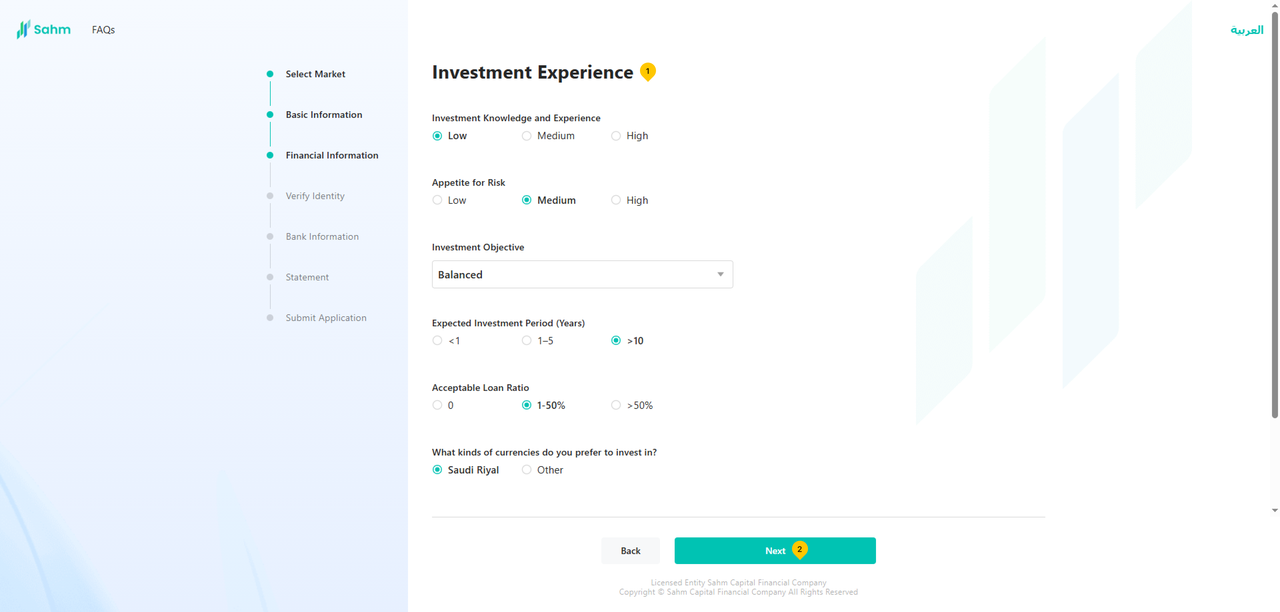
5. Select "Saudi National ID or lqama", then click "Next".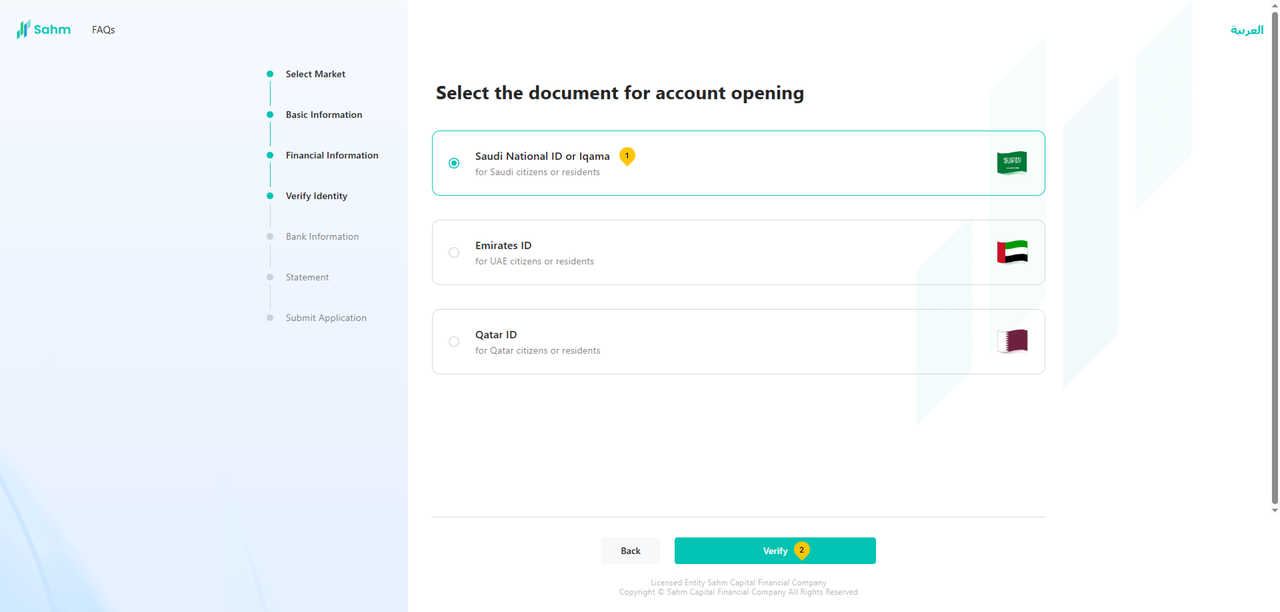
6. Fill in "National ID/ Iqama", then click "Log in".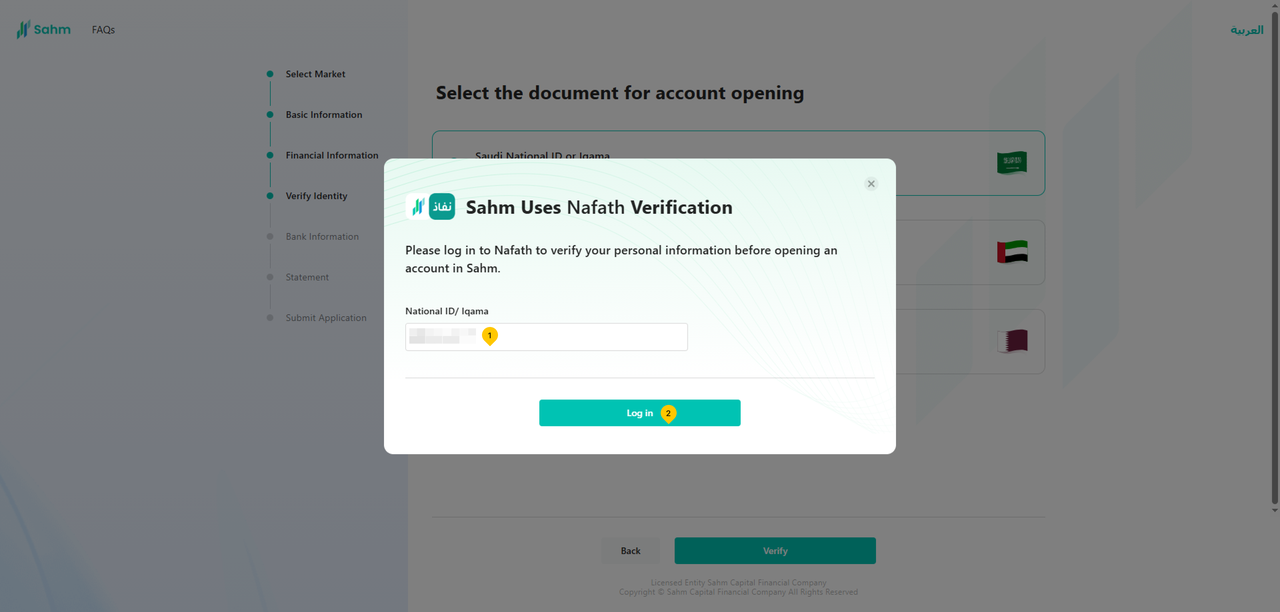
7. Click "Go to Nafath App", complete the verification on the Nafath page, then return to this page and click "Already Confirmed".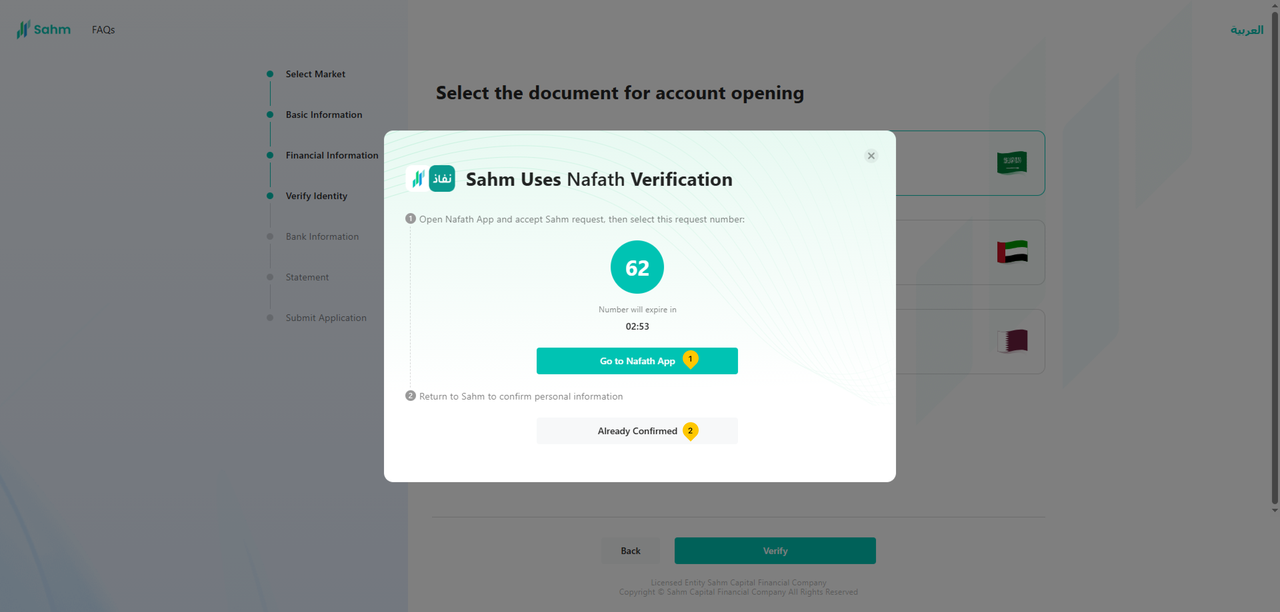
8. Double-check the accuracy of your identification information (including "IAM Information" and "Contact Information"), and then tap "Next".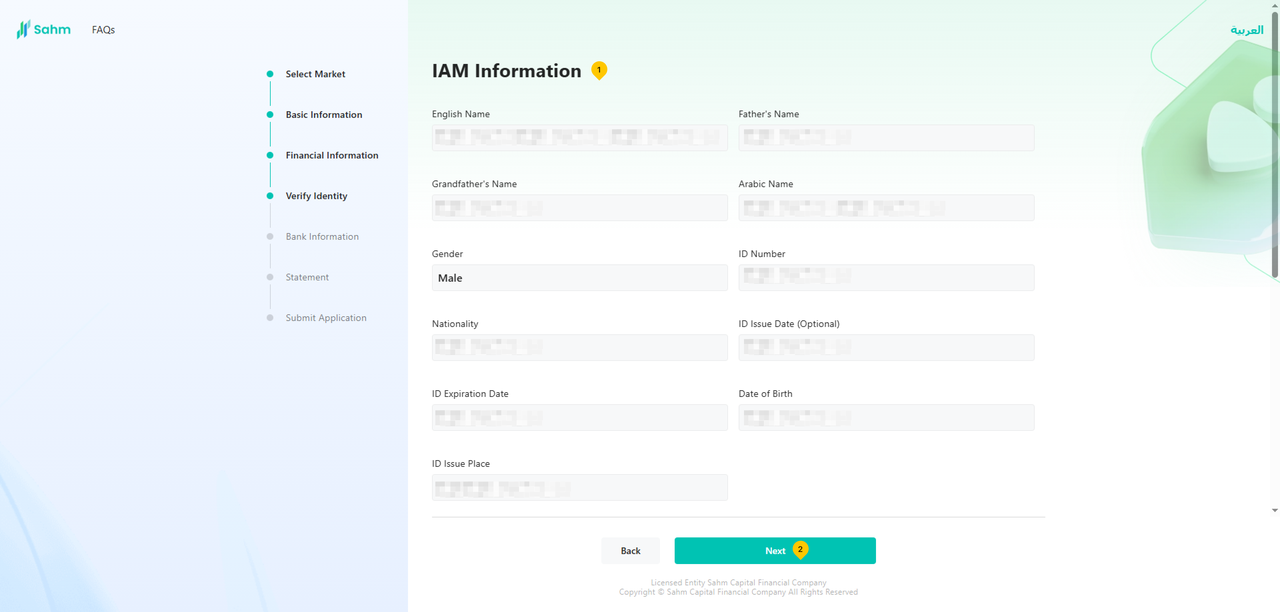
9. Upload the required documents, then click "Next".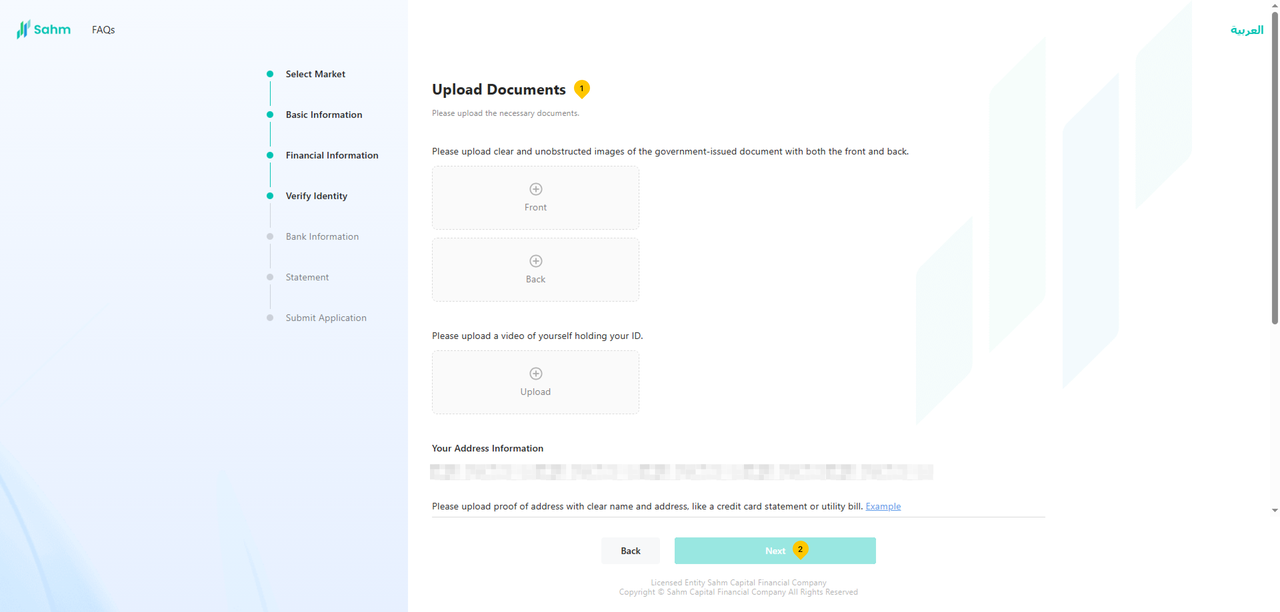
10. Fill in your bank information, complete the background check questions, and tap "Next".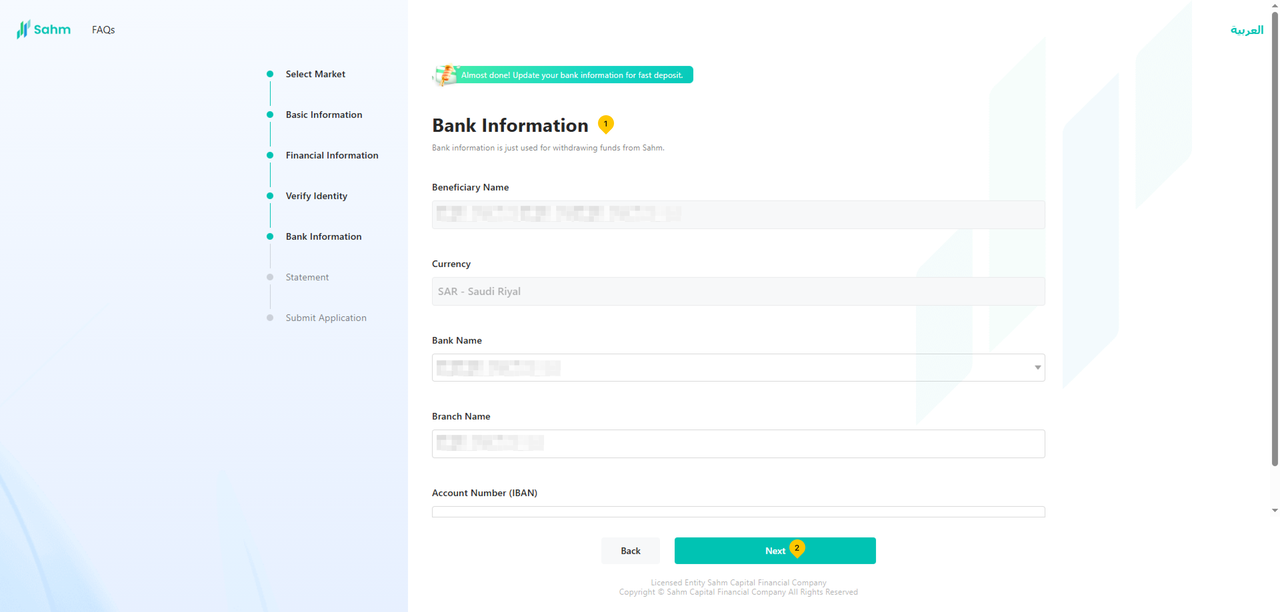
11. Review the declarations and agreements, then tap "Next".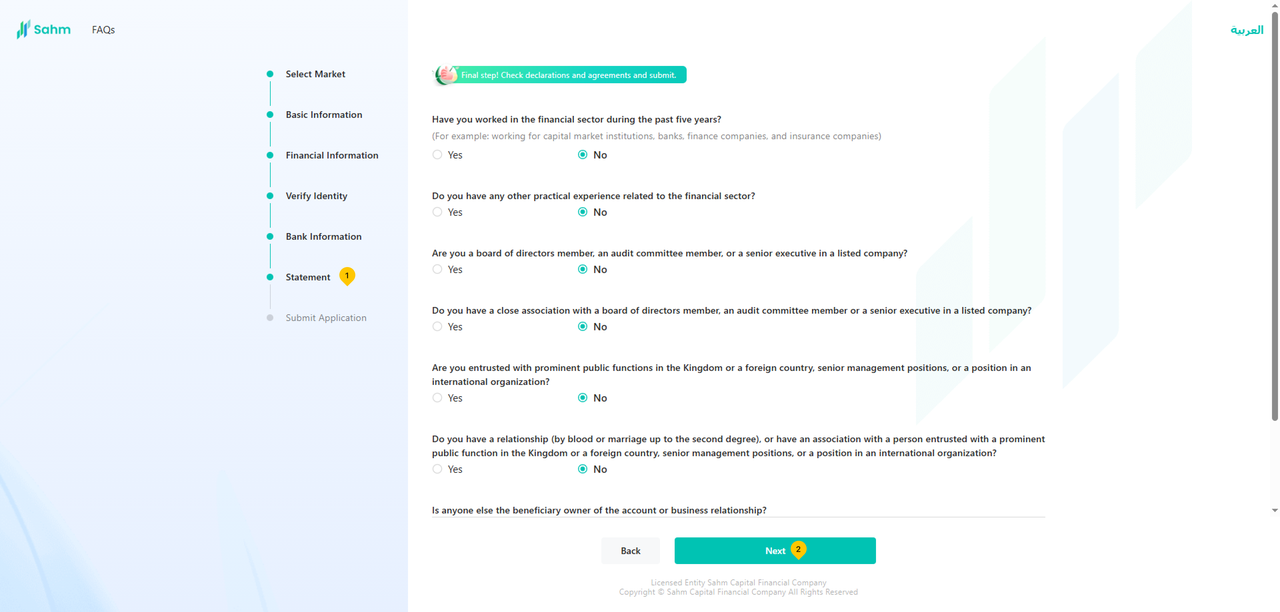
12. Carefully read the agreement terms, select the checkbox, and then tap "Confirm to submit" to proceed.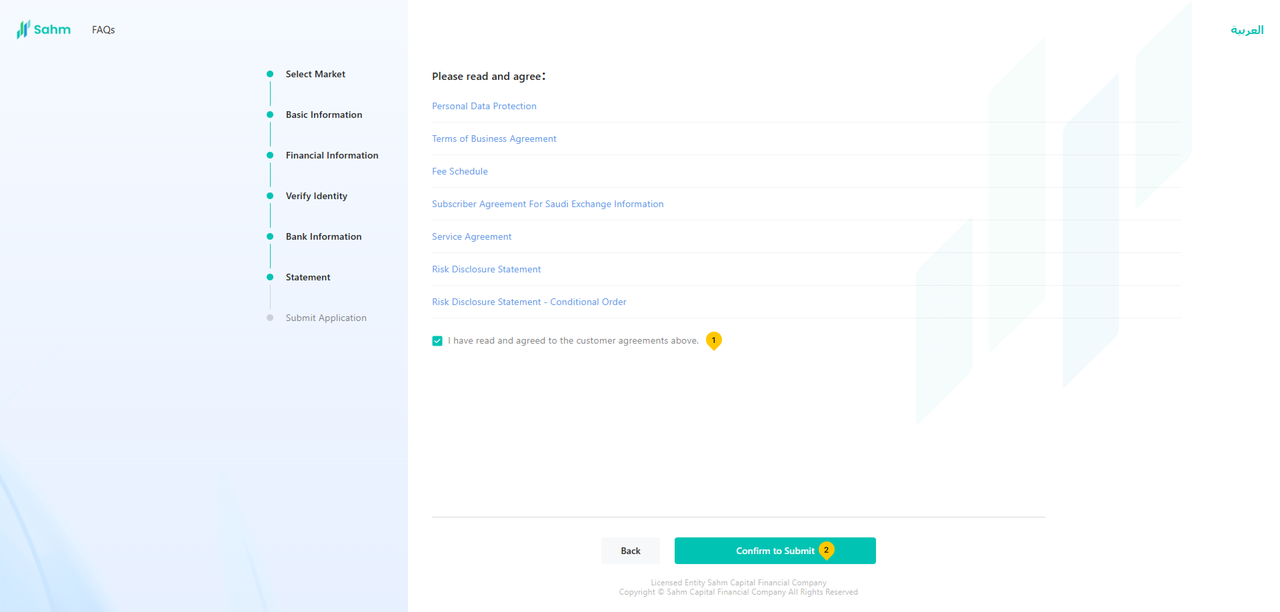
13. You have successfully submitted your account opening application. We will complete the review within 1-3 working days.